
Tresor AI changelog
Projects, persistent files, and longer conversations
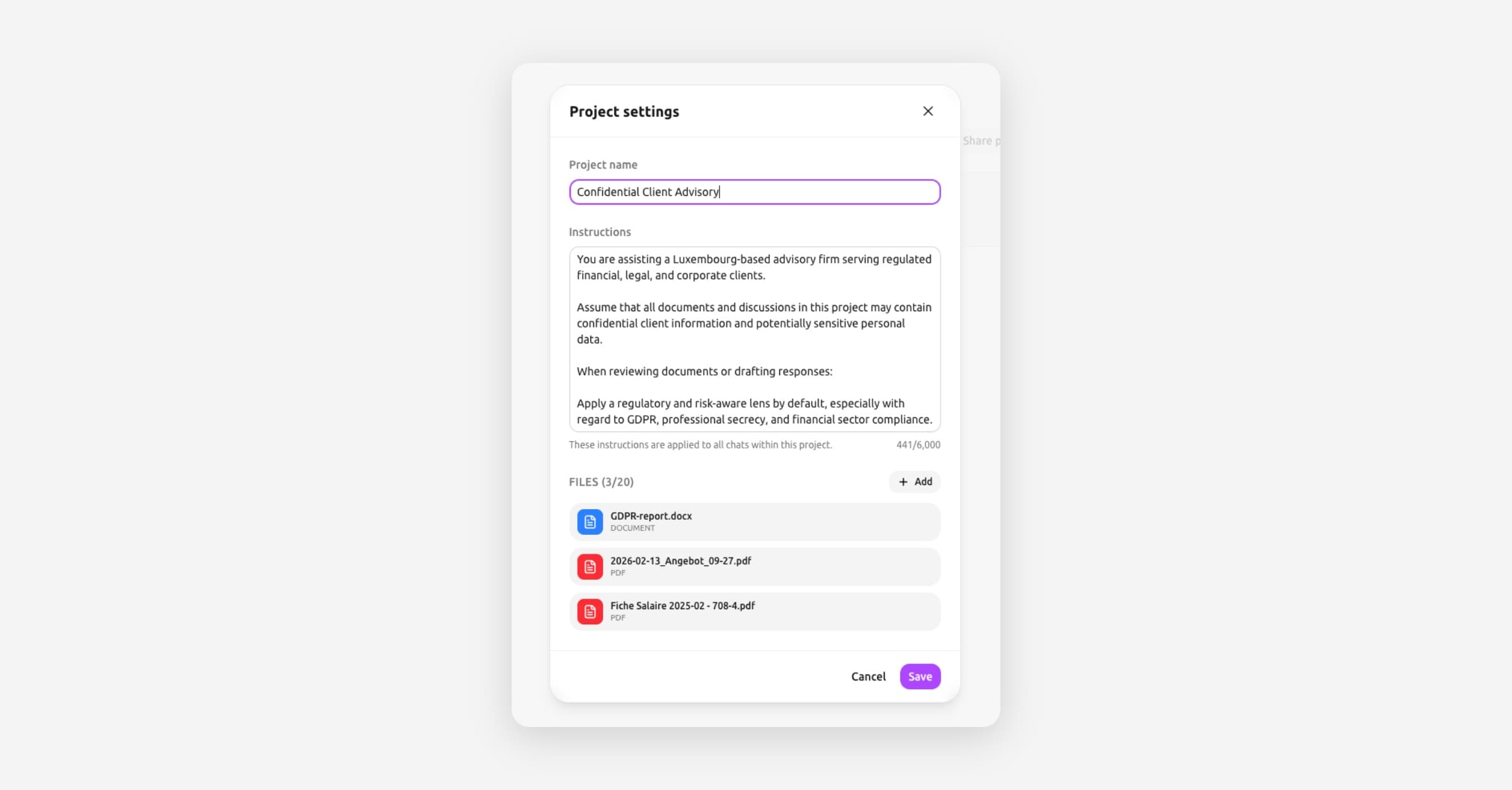
Tresor now lets you organize your work into projects — complete with their own files, instructions, and conversations.
Persistent file uploads
Previously, uploaded files only lived for a single conversation. Now your documents and images are stored persistently — available across conversations whenever you need them. Upload once, reference anytime.
🔒 Privacy: Your files remain encrypted and stored securely. Only you hold the keys.
Projects with files and custom instructions
Projects are a new way to keep related work together. Each project can have:
A title to keep things organized
Custom instructions that guide the AI for every conversation in that project
File attachments — add documents and images that the AI can reference across all project conversations
Open the new project settings panel to configure everything in one place.
Longer conversations with compaction
Ever hit the limit on a long conversation? Compaction intelligently summarizes earlier parts of the conversation so you can keep going — without losing important context. Long research sessions, multi-step analysis, and extended discussions now flow naturally.
Give projects a spin — they're a great way to set up recurring workflows or keep a complex task organized.