
↵Open
Tresor AI changelog
Clearer models, calmer chats
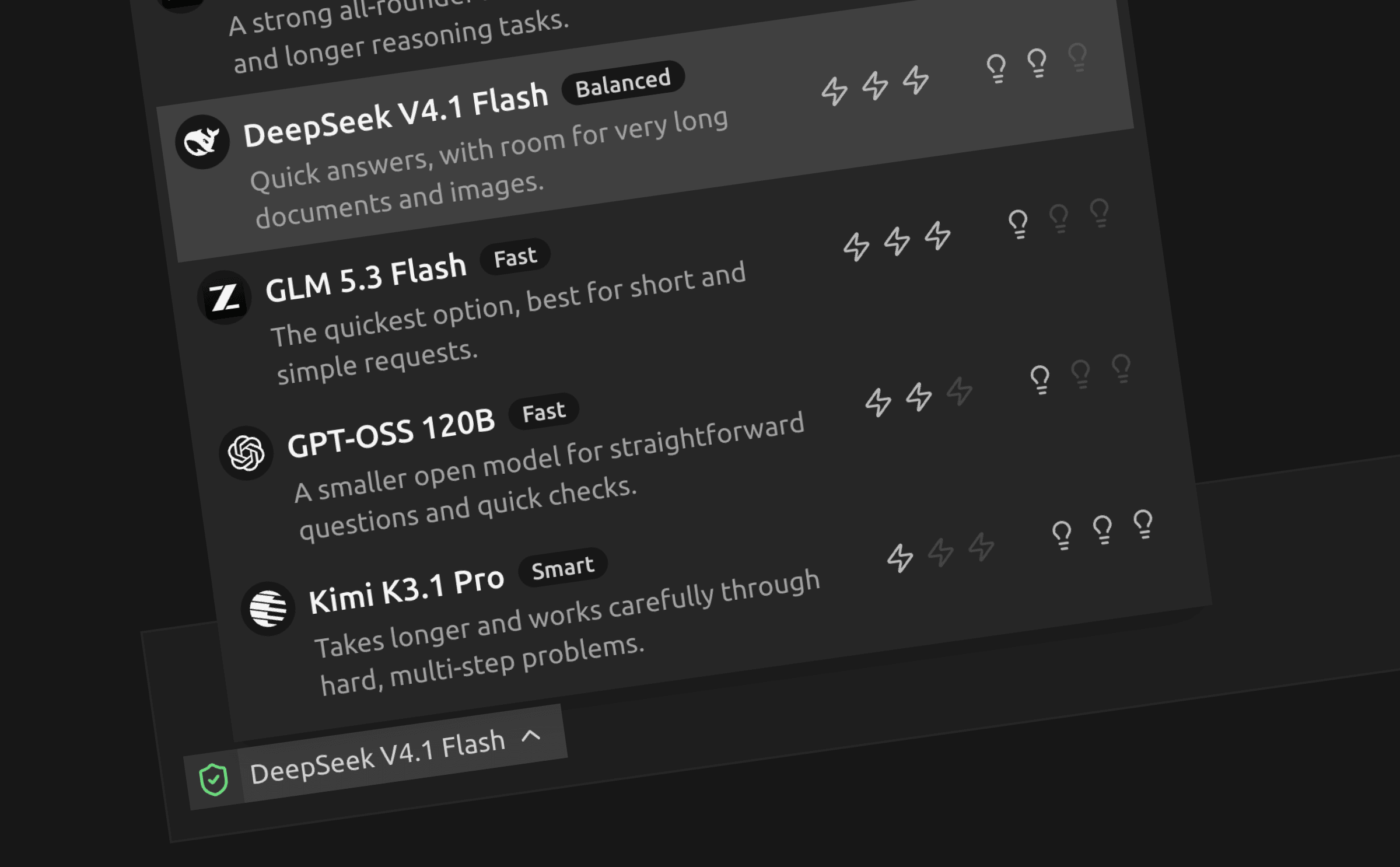
The model menu now gives you more details about what you're choosing.
And when an idea arrives mid-answer, you no longer have to hold it: type it, and it waits its turn.
Choose your models with more confidence
Each model now has a short, plain description of what it's best at, how fast it is and how deeply it reasons, with more detail on hover.
Line up your next message
While an answer is still being written, you can line up your next message. Edit it, remove it, or choose Send now to send it immediately instead of waiting for the current answer.
Find the moment
Messages and sidebar conversations now show times like "2 hours ago", with the exact date and time on hover. The sidebar preview shows a file's name, size and type, so you can tell documents apart before opening them.
Also in this update
Metric or imperial, your call — choose a system in settings and answers and charts follow it.
Diagrams in the answer — flowcharts, relationship diagrams and more appear in the conversation, ready to copy or download.
Reopen any file — preview and download uploaded documents and project files whenever you need them.
Connectors, one click on or off — switch connectors from the plus menu.
Improvements & fixes
Radar and heatmap charts appear reliably again.
Chat no longer shows the same answer twice.
Conversations that use many tools no longer stop halfway.
If your 3rd party providers plan blocks a connector, the message now says so.
🔒 Privacy: Chats and files stay inside the sealed environment, as always.
Try it
Next time an idea lands mid-answer, don't wait — line it up.