
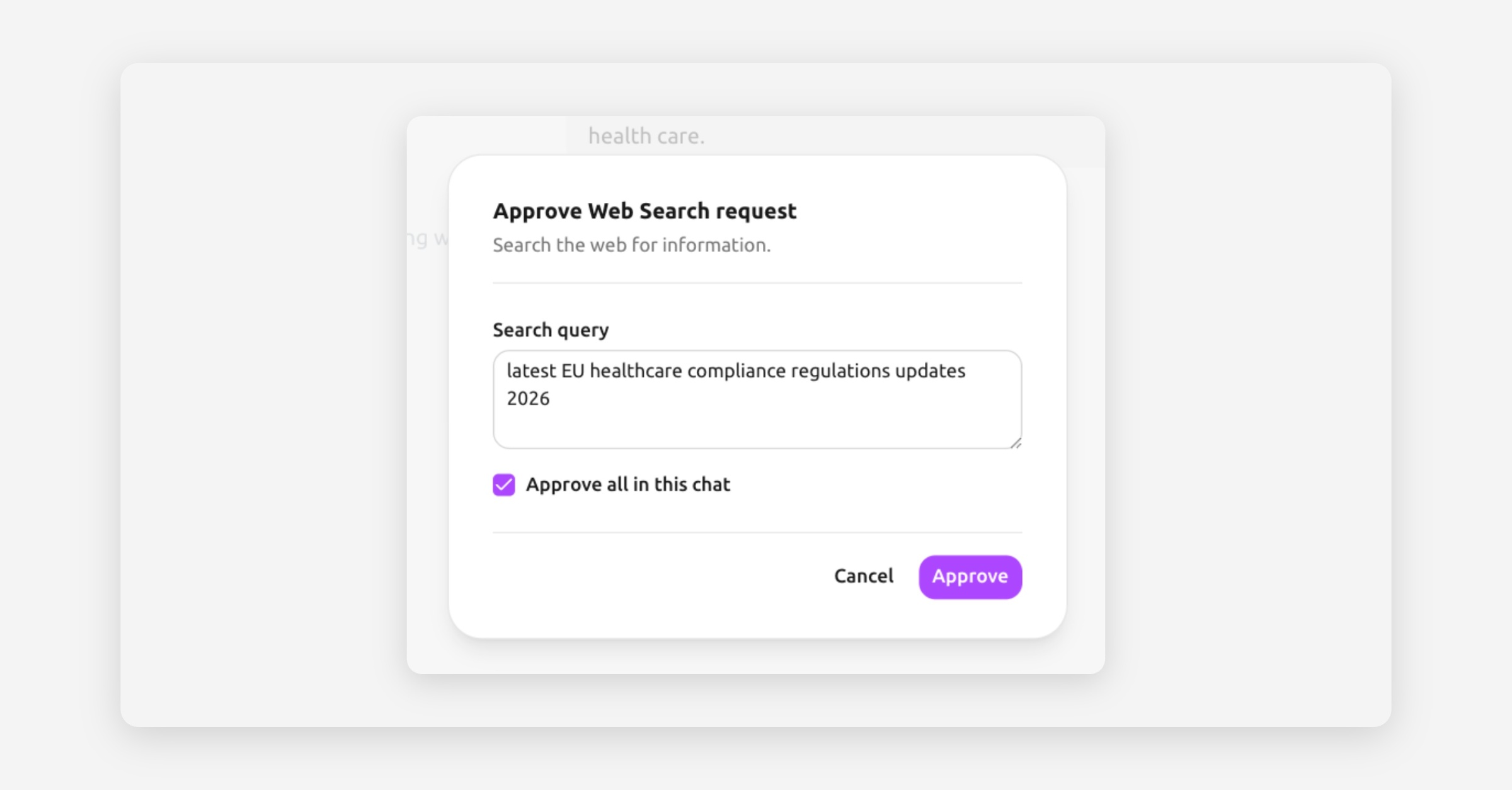
Why Tresor asks first
Some tools need to contact systems outside the core chat flow, such as a public website or a connected third-party service. Before that request leaves the chat, Tresor pauses and shows you the exact action that is about to run.
If you do not approve the request, the external call is not executed.
What the approval modal shows
The tool that wants to run
The exact parameters that will be sent externally
Whether those parameters can be edited before approval
Built-in web tools such as Web Search and Web Fetch can be edited before you confirm them.
Connector tool calls are shown read-only. Their approvals are bound to the exact request payload so the approved call cannot be silently changed after you confirm it.
What “Approve all in this chat” means
Approve authorizes only the current request.
Approve all in this chat lets Tresor reuse your decision inside the same conversation when the active approval mode allows it, so you do not have to confirm every follow-up step manually.
Connectors can also be configured with stricter approval policies such as approving every call, allowing one approval per conversation, or auto-approving listed read-only tools.
Safeguards that still apply
Approval does not bypass Tresor's normal safety boundaries.
Connector policies still apply
External calls stay limited to the configured egress scope
Scoped credentials and connector permissions remain in force
Attestation and other transport protections remain unchanged where supported
When you should review closely
Review the modal carefully when a tool is about to:
Search the public web with a sensitive query
Fetch a URL you do not recognize
Call a connector that can access customer records, documents, or internal systems
If anything looks wrong, cancel the request and adjust your prompt before trying again.